- Learn how to design user experiences that make agentic AI systems transparent and collaborative.
- Discover UX strategies that align autonomous AI architecture with user trust and adoption.
Best Practices for Integrating Agentic AI into Modern UX Design
1 min read

Modern UX is changing fast.
Not because users suddenly became less patient.
Because software is no longer expected to just respond.
Now, users expect products to understand intent, reduce effort, and help them move faster.
That is exactly why agentic AI matters.
As Jakob Nielsen noted, AI is becoming “the first new interaction model in more than 60 years.” That changes how we should think about UX design from the ground up.
The mistake I keep seeing is this: teams add an AI layer to an existing product and call it innovation.
But agentic AI does not improve UX just because it exists.
It improves UX when it is designed to reduce friction, support trust, and make the user feel more in control, not less.
And that is where most teams get it wrong.
Why Agentic AI Changes UX Design
Traditional UX flows are mostly fixed.
A user clicks.
Chooses from predefined options.
Moves through a designed path.
Agentic AI changes that model.
Instead of only reacting to commands, the system can now interpret goals, suggest next actions, automate steps, and adapt the interface around what the user is trying to achieve.
That shift is why AI is no longer just a backend capability. It is now part of the user experience itself.
This matters because user expectations are already moving in that direction. IBM reported in early 2026 that 45% of consumers turn to AI for help during their buying journeys.
So the real UX question is no longer:
Should AI be inside the product?
It is:
How do we design AI so it feels useful, clear, and trustworthy?
What Agentic AI Means in UX Terms
In simple words, agentic AI is an AI system that does more than answer prompts.
It can:
- understand user intent
- make decisions within defined limits
- trigger actions across systems
- guide users through complex tasks
- adapt flows based on context
In UX design, that means the interface becomes less static.
The product starts acting more like a smart assistant inside the experience.
Not replacing design.
Not replacing human judgment.
But reducing unnecessary effort for the user.
The Biggest UX Mistake Teams Make
Most failed AI experiences are not model failures.
They are design failures.
Teams often build agentic features that are technically impressive but UX-weak:
- unclear about what the AI can do
- too eager to automate
- hard to override
- poor at explaining decisions
- disconnected from the user’s real workflow
That is why AI projects often feel exciting in demos and frustrating in production.
McKinsey has long noted that roughly 70% of transformation efforts fail to meet expectations, usually because execution becomes too complex. The same pattern shows up in AI products when teams focus on capability before usability.
Best Practices for Integrating Agentic AI into Modern UX Design
1. Start with user pain, not AI capability
Do not begin with, “What can the agent do?”
Start with:
- Where are users getting stuck?
- What tasks feel repetitive?
- Where does decision fatigue happen?
- Which steps create delay or confusion?
Agentic AI works best when it removes friction from real workflows.
That might mean helping users summarize information, generate actions, detect anomalies, or complete multi-step tasks faster.
If the AI does not remove real effort, it will feel like noise.
2. Keep the human in control
Good UX with agentic AI does not feel magical.
It feels safe.
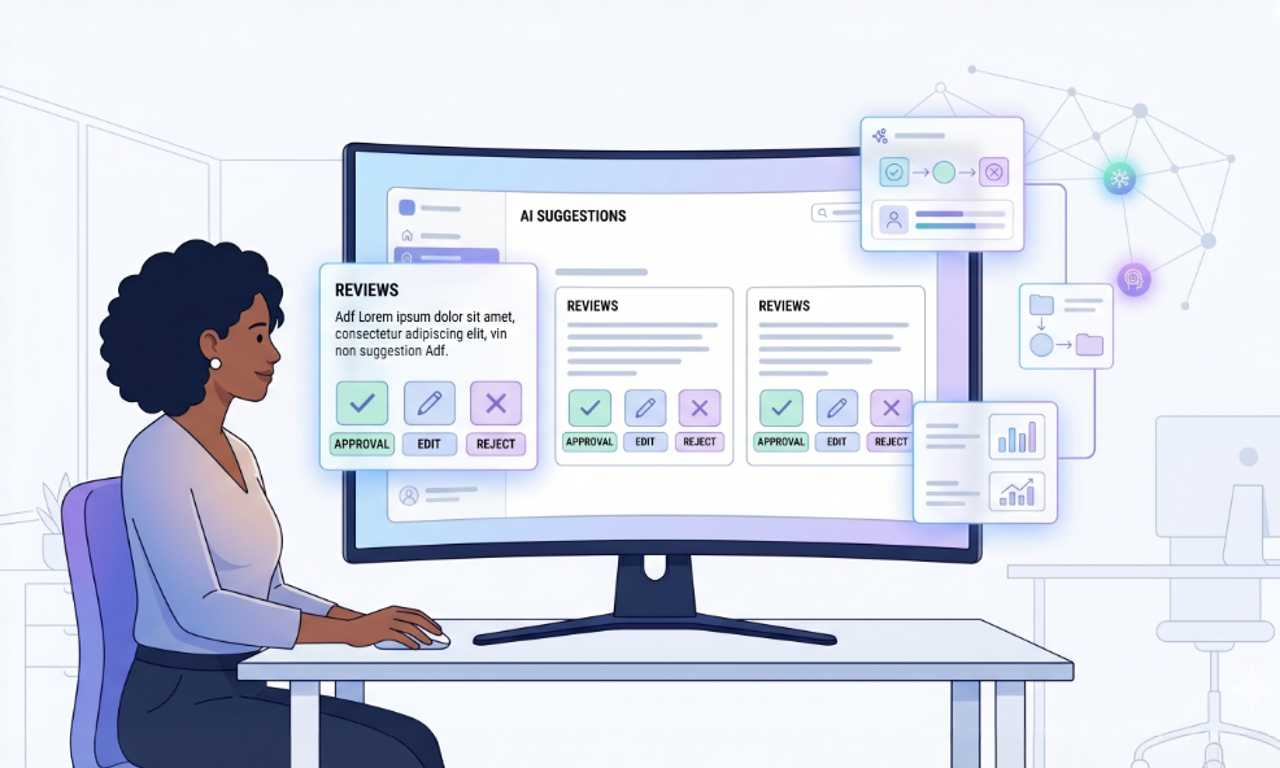
Users should always understand:
- what the agent is doing
- why it is doing it
- what happens next
- how to edit, reject, or override it
Control builds trust.
Blind automation destroys it.
This is especially important because trust in AI is still fragile. Forrester recently described consumer trust in AI as “distrust by default,” which is exactly why UX clarity matters so much.
3. Design for transparency, not mystery
If an agent makes a recommendation, surfaces a result, or triggers an action, the experience should explain that clearly.
Use plain language like:
- Suggested based on your previous workflow
- Generated from your uploaded data
- Waiting for your approval before sending
- This step was automated because the rule matched
The user should never have to guess whether something was AI-generated, system-generated, or manually set.
That confusion creates hesitation.
And hesitation is a UX problem.
4. Limit autonomy at the beginning
One of the smartest ways to design agentic UX is to introduce autonomy gradually.
Start with:
- suggestions
- assisted actions
- approval-based workflows
- reversible outputs
Then expand into higher-autonomy flows only after users trust the system.
This matters because many teams move too fast. IBM warns that disconnected agents without coordination can create confusion, inefficiency, and security risk instead of value.
5. Design around context, not just prompts
A weak AI UX depends on users typing perfect instructions.
A strong AI UX uses context.
That includes:
- role
- history
- task status
- permissions
- system data
- recent actions
When the experience understands context, the user does less work.
This is where agentic AI becomes truly useful.
It stops feeling like a chatbot bolted onto the UI and starts feeling like a workflow layer inside the product.
6. Use AI where speed and clarity matter most
Not every screen needs an agent.
Not every interaction should become conversational.
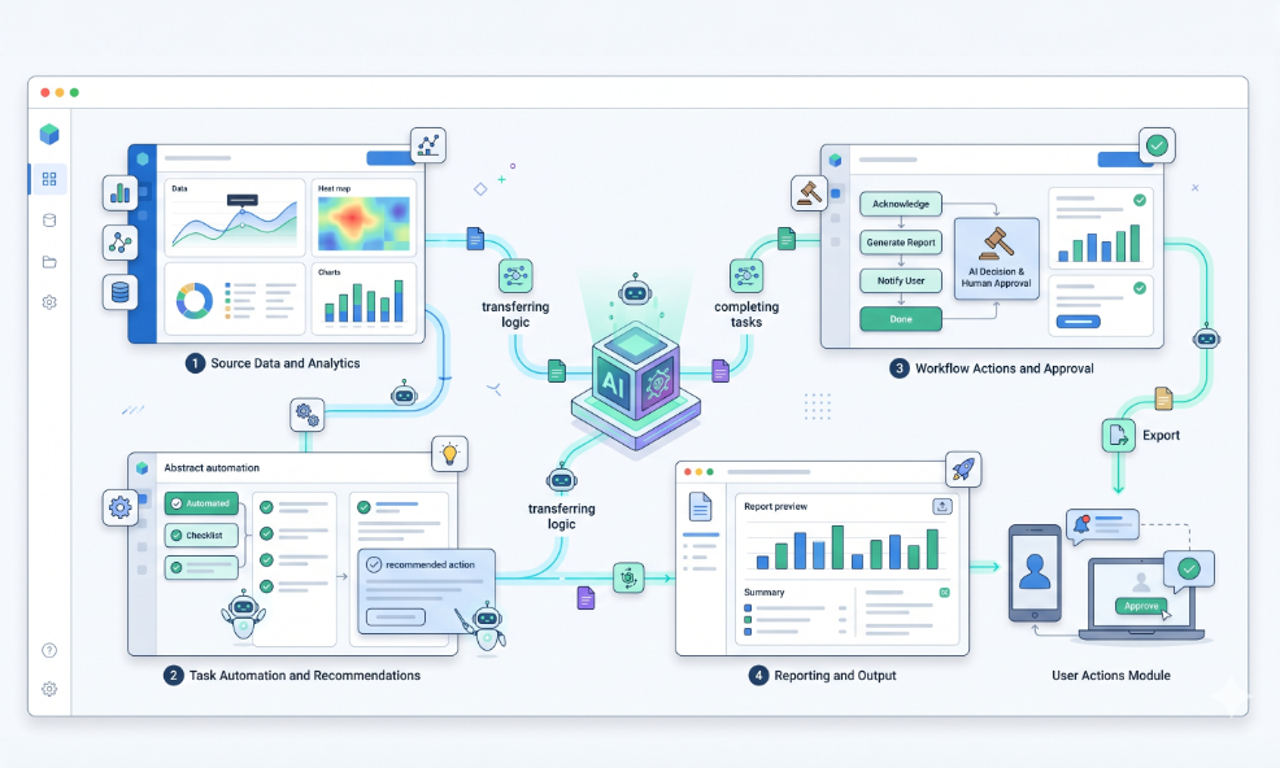
Use agentic AI where it improves one of these:
| UX Goal | Where Agentic AI Helps | Why It Matters |
| Faster task completion | auto-fill, summarization, next-step guidance | reduces time and effort |
| Better decisions | anomaly detection, recommendations, prioritized insights | improves confidence |
| Lower cognitive load | workflow suggestions, contextual help, smart defaults | makes complex systems easier to use |
| Better support | instant explanations, guided troubleshooting, escalation paths | reduces frustration |
| Personalized flows | adaptive onboarding, dynamic content, role-based assistance | improves relevance |
This is usually where the highest UX ROI appears first.
7. Make failure states part of the experience
AI will not always be right.
That is normal.
What matters is how the experience handles uncertainty.
Design for cases where the agent:
- lacks enough data
- has low confidence
- generates an incomplete answer
- cannot complete an action
- needs human review
A better UX pattern is:
clear limit → fallback path → human control
That is much better than pretending the agent is always confident.
8. Protect consistency across the product
One hidden risk with agentic UX is inconsistency.
If the AI behaves differently across pages, changes tone randomly, or performs actions with different rules in different modules, users lose confidence fast.
The product needs consistent:
- language
- interaction patterns
- permission rules
- approval logic
- feedback states
This is still a UX system.
The AI should fit the system, not break it.
What This Looks Like in Real Products
At Mediusware, we have seen this pattern clearly in products where intelligence improves usability only when it is tied to workflow clarity.
In Quiri, natural-language interaction helps users turn questions into usable insights faster, which lowers the barrier between data and decision-making.
In CRM Runner, automation improves operations when it is connected to real-time tracking, centralized workflows, and better decision support, not when automation is added for its own sake.
That is the practical lesson.
Agentic AI creates UX value when it reduces effort inside a meaningful user journey.
A Simple Framework for Designing Agentic UX
I like to keep it simple.
Before adding an AI agent to a product, ask these five questions:
1. What exact user friction are we removing? 2. What decision is the agent allowed to make?
3. How will the user review or override it?
4. What context does the agent need to work well
5. How will the UI explain what happened?
If those answers are weak, the feature is probably not ready.
When Agentic AI Actually Improves UX
Agentic AI improves UX when it makes the product feel:
- faster
- clearer
- lighter
- more personalized
- easier to trust
It fails when it makes the experience feel:
- unpredictable
- opaque
- over-automated
- harder to verify
- harder to control
That is why this is not just an AI implementation challenge.
It is a UX design challenge.
Final Thought
Agentic AI improves UX when it reduces effort, adds clarity, and keeps users in control.
The real advantage does not come from adding AI everywhere, but from applying it where it removes friction inside real workflows.
Teams that design agentic experiences with discipline will create products that feel smarter, faster, and easier to trust.
Frequently Asked Questions
Yes, if APIs or database access layers are available. In many cases, a wrapper layer can expose legacy functionality safely.

I work at the point where product decisions, system architecture, and engineering execution meet. At Mediusware, I’m accountable for how technology choices affect reliability, scale, and long-term delivery for our clients.
Featureblogs
Relatedblogs
Authorblogs
01
How Digital Agencies Can Deliver Custom Software Without Hiring Developers02
AI in FinTech: Build, Buy, or Integrate? A Founder's Decision Framework03
How to Choose a SaaS MVP Development Company04
How Seed-Stage SaaS Teams Add Engineering Capacity Without Hiring Chaos05
Why Seed-Stage SaaS Startups Struggle to Ship Fast