- Multi-agent systems enable AI agents to collaborate for smarter, scalable automation.
- No-code tools help teams build and launch AI agent systems more easily.
Building Multi-Agent Systems with No-Code Tools: Step-by-Step Guide
1 min read
Most teams think AI is just one model answering questions.
That’s already outdated.
The real shift is happening behind the scenes, where multiple AI agents work together as a system.
Not one brain.
A coordinated team.
And here’s the interesting part…
You no longer need a heavy engineering team to build it.
Why Single AI Models Break at Scale
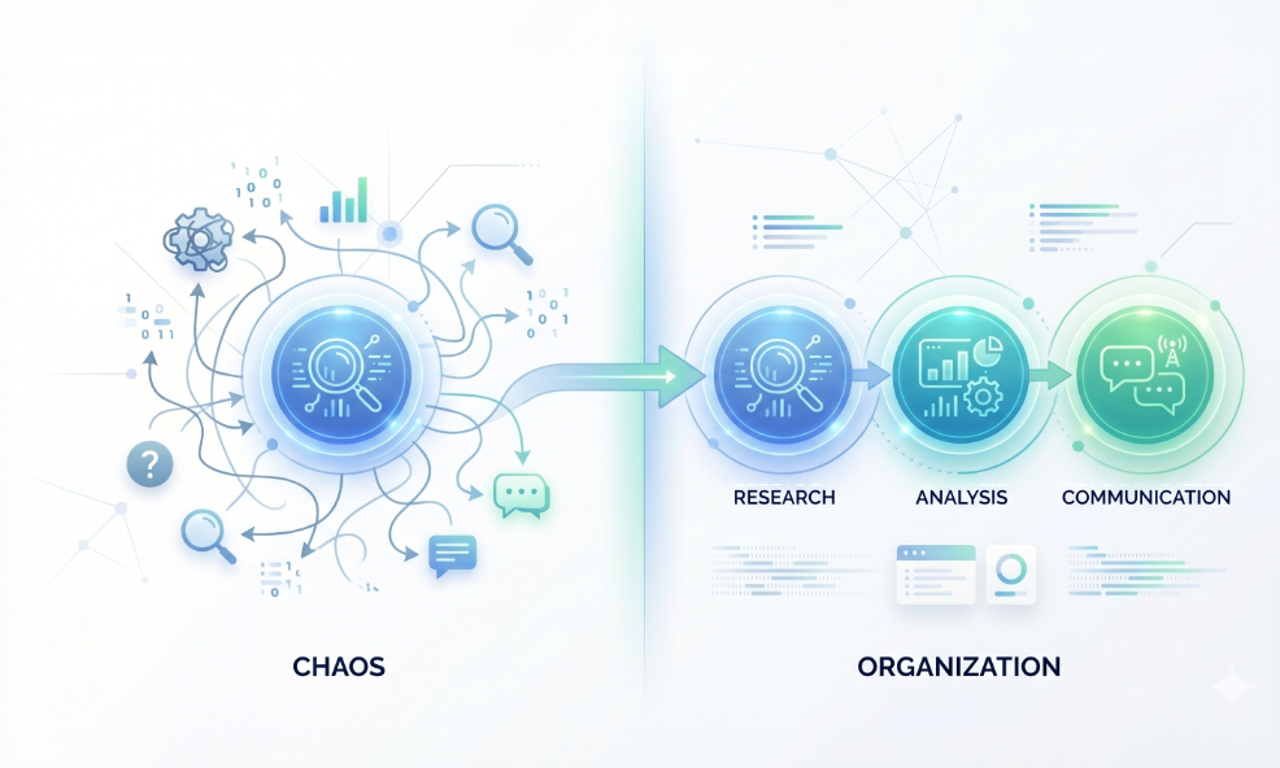
A single AI model can answer questions.
But it struggles with multi-step, real-world workflows.
Think about something simple like lead qualification:
- Researching a company
- Analyzing fit
- Writing outreach
Trying to force one model to handle everything creates:
- Inconsistent outputs
- Slower responses
- Hard-to-maintain logic
This is where most AI implementations start to fall apart.
What Multi-Agent Systems Actually Change
Instead of one AI doing everything, you break the workflow into roles.
Each agent does one job and does it well.
For example:
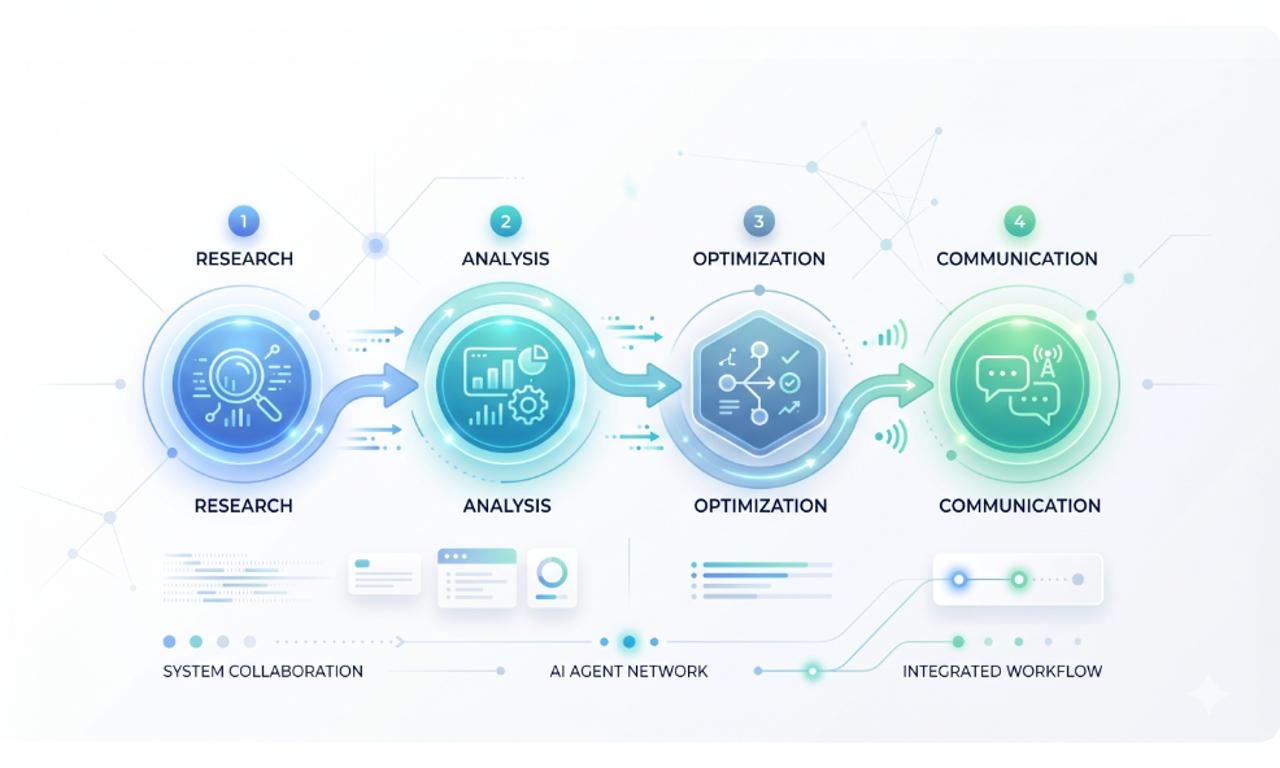
- Research agent → gathers data
- Analysis agent → evaluates it
- Communication agent → generates output
Now you’re not building a tool.
You’re building a system.
And that’s where scalability comes from.
Why No-Code Tools Are Accelerating This Shift
A few years ago, building this required:
- Custom orchestration layers
- API-heavy architecture
- Dedicated ML engineers
Now?
You can design agent workflows visually.
That changes who can build AI systems.
- Founders can prototype
- Product teams can test workflows
- Ops teams can automate processes
And most importantly, ideas move faster than infrastructure.
Step-by-Step: How to Build a Multi-Agent System
Let’s break this into a practical flow.
Step 1: Define the Workflow, Not the Tool
Start with the outcome.
Not the AI.
Ask:
What process are we trying to automate?
Example: Lead qualification
Break it into steps:
- Data collection
- Evaluation
- Response generation
If the workflow isn’t clear, the system will fail later.
Step 2: Choose the Right No-Code Platform
You need a tool that lets you connect logic visually.
Popular options:
- Flowise
- LangFlow
- Zapier AI
- Make.com
Each allows you to connect models, APIs, and triggers without heavy coding.
Pick based on complexity, not popularity.
Step 3: Build Agents with Clear Roles
This is where most people get it wrong.
They create “generic AI agents.”
That kills performance.
Instead, define:
- One task per agent
- Clear input and output
Example:
- Research agent → raw data
- Analysis agent → structured insights
- Response agent → final output
Simple systems scale better.
Step 4: Design Agent Communication
Agents don’t just run.
They collaborate.
That means:
- Passing structured data
- Using consistent prompts
- Avoiding ambiguity
Bad communication = broken workflows.
This is where most no-code builds quietly fail.
Step 5: Add Triggers to Activate the System
Your system needs a starting point.
Common triggers:
- Form submission
- CRM update
- API request
- User message
Once triggered, the agents should run automatically, without manual steps.
Step 6: Test Like It’s a Product Not a Demo
Most teams test outputs.
They don’t test systems.
Focus on:
- Accuracy across steps
- Agent coordination
- Failure handling
- Speed under load
If one agent breaks, the whole workflow breaks.
Where Multi-Agent Systems Are Already Winning
This isn’t theoretical.
It’s already happening.
1. Customer Support
Agents understand queries, fetch answers, and respond instantly.
2. Sales Qualification
AI evaluates leads before a human ever touches them.
3. Research Automation
Agents gather, filter, and summarize large datasets.
4. Content Production
Different agents handle research → writing → editing → formatting.
This is how teams reduce manual work without sacrificing quality.
The Future Is Not One AI, It’s Systems of AI
AI is moving toward orchestration.
Not isolation.
You’ll see:
- Autonomous workflows
- Agent marketplaces
- AI systems managing other AI systems
As Sam Altman put it:
The future of AI is systems of models working together.
That future is already starting.
Final Thoughts
Multi-agent systems are not just a technical upgrade.
They’re a shift in how we design software.
Instead of building features, you build workflows.
Instead of single models, you design systems.
And thanks to no-code tools, this is no longer limited to large engineering teams.
Frequently Asked Questions
A multi-agent system is when several AI agents work together to complete a task. Each agent has its own role and shares information with other agents.

I work at the point where product decisions, system architecture, and engineering execution meet. At Mediusware, I’m accountable for how technology choices affect reliability, scale, and long-term delivery for our clients.
Featureblogs
Relatedblogs
Authorblogs
01
How Digital Agencies Can Deliver Custom Software Without Hiring Developers02
AI in FinTech: Build, Buy, or Integrate? A Founder's Decision Framework03
How to Choose a SaaS MVP Development Company04
How Seed-Stage SaaS Teams Add Engineering Capacity Without Hiring Chaos05
Why Seed-Stage SaaS Startups Struggle to Ship Fast