- ORM helps simplify database management by mapping objects to database tables.
- It boosts development speed, keeps code clean, and improves maintainability.
- Performance can be impacted if ORM is not used carefully in complex systems.
- Using ORM alongside SQL ensures flexibility and performance optimization.
What Is ORM and How It Simplifies Database Work
1 min read

Database work often starts simple. You write a few queries. Data moves in and out. Everything feels under control. Then the project grows. More features. More tables. More changes. Suddenly, small updates take longer than expected. One mistake in a query can affect other parts of the system.
If you’ve felt this before, you’re not alone. And you’re probably asking a fair question.
Is there a simpler way to manage database work without slowing things down?
This is where many development teams start looking at ORM.
ORM changes how you interact with data. It helps reduce repetitive work, keeps code easier to read, and brings structure as applications grow. For many teams, it becomes a practical way to move faster while keeping things under control.
At the same time, ORM is not a perfect fit for every situation. It has strengths, limits, and trade-offs that matter if you care about performance and long-term stability. In this guide, we’ll walk through how ORM works, where it helps, where it doesn’t, and how to decide if it’s right for your project.
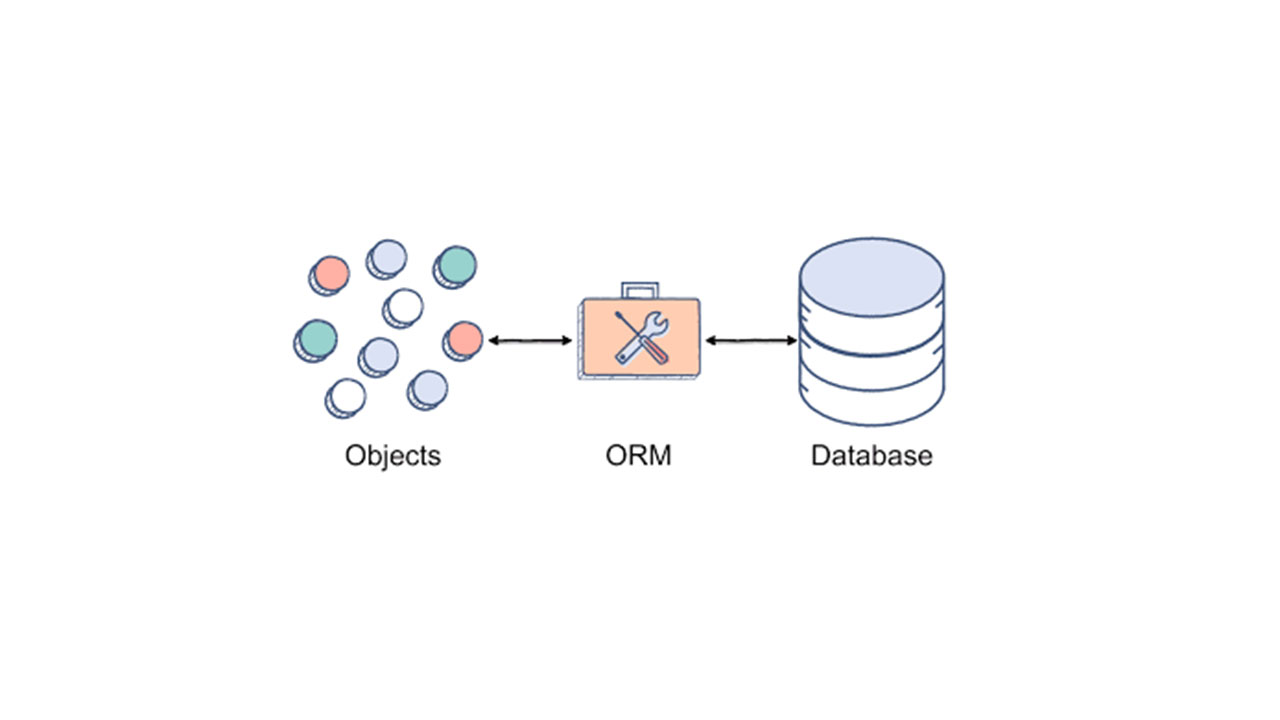
What Is ORM?
ORM stands for Object Relational Mapping. But instead of getting stuck on the term, let’s look at what it actually does in real work.
When you build an application, you usually work with objects.
Users, orders, products, profiles.
Databases do not understand objects. They work with tables, rows, and columns.
ORM sits in the middle and connects these two worlds.
A simple way to think about it
Imagine you have a User in your application.
The user has:
- A name
- An email
- An ID
With ORM:
- The User object in your code matches a users table in the database
- Each property matches a column
- Each user record becomes an object you can work with
So instead of writing SQL every time, you work with objects you already understand.
Without ORM
You manually write SQL queries for:
- Fetching users
- Updating emails
- Deleting records
This works, but it gets repetitive and harder to manage as the project grows.
With ORM
You tell the application what you want to do with the object:
- Create a user
- Update a field
- Fetch a list
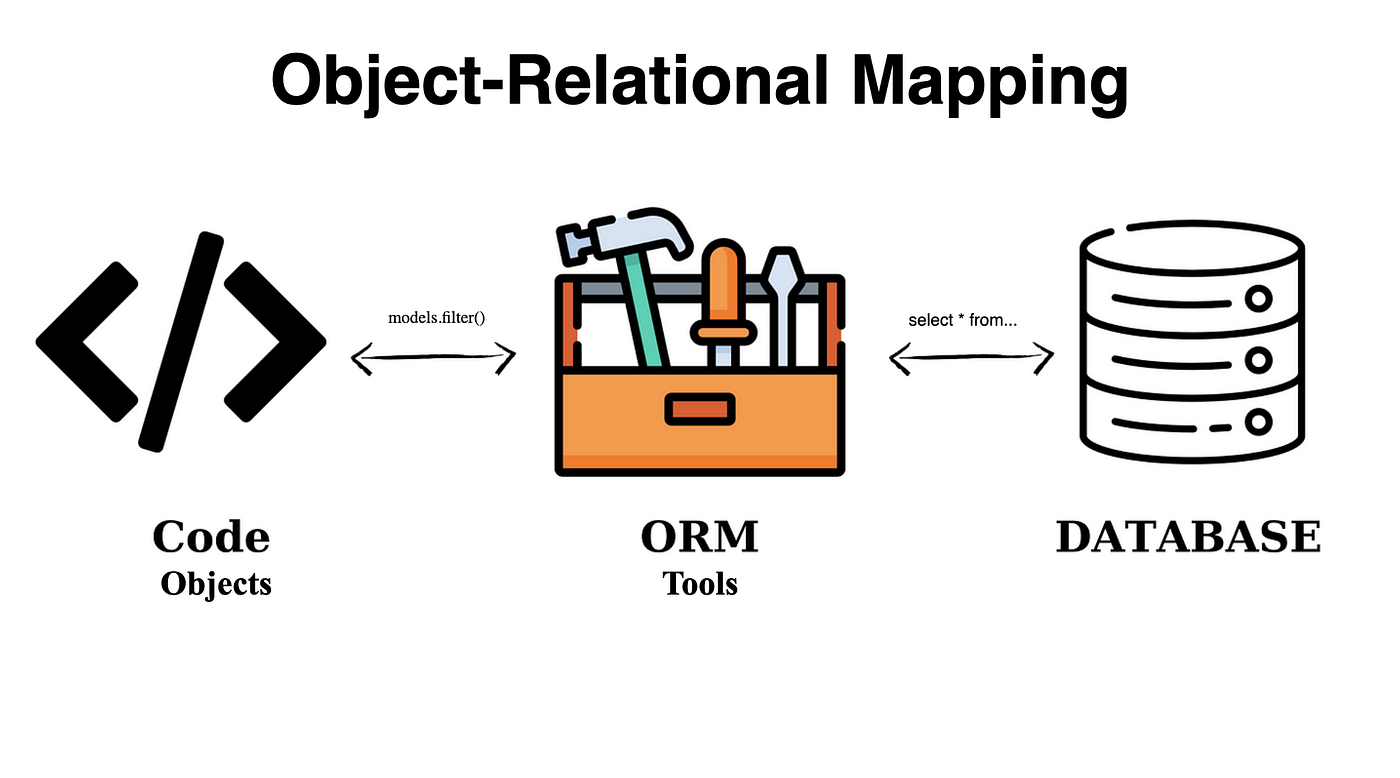
The ORM turns that action into SQL for you.
This does not mean SQL disappears. It means you write less of it, and you write it in fewer places.
How ORM Works Behind the Scenes
At first, ORM feels like magic. You work with objects, and the database somehow stays in sync. But what’s really happening is much more straightforward.
ORM follows a clear process:
Step 1: Mapping your code to the database
ORM starts by creating a connection between:
- Your classes in code
- Tables in the database
Each class maps to one table.
Each property maps to one column.
Once this mapping is set, the ORM knows how your data is structured.
Step 2: Tracking changes in objects
When you create or update an object in your code, the ORM keeps track of what changed.
For example:
- A new user is created
- An email address is updated
- A record is marked for deletion
You don’t tell the database directly. You just change the object.
Step 3: Converting actions into SQL
When it’s time to save or fetch data, the ORM steps in.
It automatically:
- Builds the right SQL query
- Sends it to the database
- Receives the result
- Converts it back into objects your app can use
All of this happens in the background.
You still benefit from SQL, but you don’t have to write it every time.
Step 4: Managing relationships and data flow
ORM also handles relationships like:
- One user has many orders
- One product belongs to one category
Instead of writing complex joins, you work with connected objects. The ORM manages how those links are stored and retrieved.
Why this approach helps
This process:
- Reduces repeated code
- Keeps data logic consistent
- Makes large systems easier to maintain
It also helps teams focus on building features instead of fixing database-related issues again and again.
Popular ORM Tools
ORM is not a single tool. Different programming languages use different ORM solutions. The idea stays the same, but the tools change based on the tech stack.
Below are some of the most commonly used ORM tools in real software projects.
Hibernate (Java)
Hibernate is widely used in Java-based applications, especially at the enterprise level.
It helps manage complex data models and supports features like caching and lazy loading. This makes it useful for large systems where performance and structure matter.
Entity Framework (.NET)
Entity Framework is the go-to ORM for C# and .NET developers.
It allows developers to work with databases using familiar C# objects and LINQ queries. This keeps database code clean and easy to maintain inside .NET applications.
Django ORM (Python)
Django ORM comes built into the Django framework.
It is known for being simple and reliable. Developers can define models quickly and interact with databases without writing much SQL, which is why it’s popular for web applications.
SQLAlchemy (Python)
SQLAlchemy offers more flexibility than many ORMs.
It lets developers choose between high-level ORM features and direct SQL when needed. This makes it a good fit for projects with complex database needs.
Active Record (Ruby on Rails)
Active Record is the default ORM in Ruby on Rails.
It follows a convention-based approach, which allows developers to build applications quickly. Database tables map directly to Ruby classes, keeping things easy to understand.
Why tool choice matters
Choosing the right ORM depends on:
- Your programming language
- Project size
- Performance needs
- Team experience
The tool itself matters less than how well your team understands and uses it.
Benefits of Using ORM
ORM is popular for a reason. When used correctly, it solves many everyday problems teams face while working with databases.
Faster development
ORM removes a lot of repetitive work.
Developers do not need to write the same SQL queries again and again. Instead, they work with familiar objects. This speeds up development and helps teams deliver features faster.
Cleaner and more readable code
Database logic stays organized in one place.
This makes the code easier to read, review, and maintain. New developers can understand the system faster without digging through scattered SQL files.
Easier maintenance as projects grow
As applications grow, database changes become more frequent.
ORM helps manage these changes in a structured way. Updating models is often simpler than rewriting queries across multiple files.
Built-in security advantages
Most ORM tools automatically handle input sanitization.
This reduces the risk of common issues like SQL injection. While ORM does not replace good security practices, it adds an extra layer of protection by default.
Better teamwork
ORM creates a shared pattern for working with data.
When everyone follows the same approach, collaboration becomes easier. Developers, testers, and reviewers can work more smoothly without confusion around database logic.
When these benefits matter most
ORM brings the most value when:
- Teams are working on long-term projects
- Codebases are large or growing
- Speed and clarity matter more than fine-tuned queries
Limitations and Drawbacks of ORM
ORM is helpful, but it is not perfect. Knowing its limits is just as important as knowing its benefits.
Performance overhead
ORM adds an extra layer between your code and the database.
In simple cases, this does not matter much. But in complex or high-traffic systems, ORM can generate inefficient queries if it is not used carefully. This can slow things down.
Less control over SQL
When you rely fully on ORM, you give up some control.
For very specific or advanced queries, raw SQL can be more precise. ORM can sometimes make it harder to fine-tune queries exactly the way you want.
Hidden complexity
ORM makes database work look simple.
This is good, but it can also hide what is really happening behind the scenes. Developers who do not understand SQL well may write code that looks fine but performs poorly.
Learning curve
ORM tools come with rules, patterns, and conventions.
It takes time to learn how they work properly. Without that understanding, teams may misuse ORM features and create long-term problems.
Not ideal for every project
For small or short-term projects, ORM may be unnecessary.
In some cases, simple SQL queries are easier and faster than setting up an ORM layer.
The key takeaway
ORM is a tool, not a shortcut.
Used wisely, it helps teams move faster and write cleaner code. Used blindly, it can introduce performance and design issues.
ORM vs SQL: Which One Should You Use?
ORM and SQL are often seen as opposites, but in real projects, they usually work together.
The real choice is not about picking one forever. It’s about knowing when to use which.
How ORM helps in day-to-day work
ORM is designed to make common database tasks easier.
It works well when:
- You are creating, reading, updating, or deleting data
- The application has many models and relationships
- Code clarity and speed matter more than fine-tuned queries
ORM keeps database logic organized and reduces repeated SQL across the codebase.
Where SQL still shines
SQL gives you full control.
It is the better choice when:
- Queries are complex or very specific
- Performance is critical
- You need database-level optimizations
- Reporting or analytics require custom queries
In these cases, writing SQL directly is often clearer and faster.
A simple comparison
|
Aspect |
ORM |
SQL |
|
Ease of use |
High |
Medium to low |
|
Development speed |
Faster |
Slower |
|
Control over queries |
Limited |
Full |
|
Performance tuning |
Requires care |
Direct |
|
Best for |
Large, evolving apps |
Complex or critical queries |
What most mature teams do
Most experienced teams do not choose one only.
They:
- Use ORM for most application logic
- Use SQL where performance or complexity demands it
This balanced approach gives the best of both worlds.
When ORM Is the Right Choice for Your Project
ORM works best when it supports how your team builds and maintains software, not when it is forced into every situation.
ORM is a good fit when
ORM makes sense if:
- Your application has many data models and relationships
- The project is expected to grow over time
- Multiple developers work on the same codebase
- Code readability and consistency matter
- You want to reduce repetitive database logic
In these cases, ORM helps teams move faster without losing structure.
ORM may not be the best option when
There are situations where ORM adds more weight than value.
You may want to avoid or limit ORM if:
- The application is very small or short-term
- You rely heavily on complex, custom queries
- Performance tuning is critical from day one
- The team prefers direct control over database behavior
Using raw SQL in these cases can be simpler and more efficient.
A practical middle ground
Many real-world systems use a mixed approach.
They rely on ORM for:
- Standard data operations
- Model relationships
- Day-to-day development
And use SQL for:
- Reporting
- Heavy queries
- Performance-critical paths
This approach keeps development flexible and grounded in reality.
ORM has been around for years, and experienced engineers agree on one thing. It works best when developers understand both the abstraction and the database underneath.
In simple terms, ORM helps when:
- Developers know what SQL is being generated
- Teams review and monitor database queries
- Performance is tested, not assumed
When ORM is treated as a helper instead of a shortcut, it becomes a strong foundation for long-term systems.
Many modern teams also combine ORM with query monitoring tools and database logs. This keeps performance visible and prevents surprises as applications scale.
The lesson here is simple.
ORM is powerful, but understanding what happens behind it makes all the difference.
Final Thoughts
ORM is not about avoiding SQL. It is about choosing a better way to manage database work as software grows.
For many teams, ORM brings structure, clarity, and speed. It helps keep code readable and easier to maintain over time. At the same time, it comes with trade-offs that should not be ignored, especially around performance and control.
The best results come when teams understand both sides. They use ORM where it makes sense and rely on SQL when precision matters. This balanced approach leads to stable systems and fewer surprises down the road.
If you are planning a new application or improving an existing one, decisions around data access play a big role in long-term success. Having experienced developers who understand ORM deeply, not just how to use it, but when to question it, can save time and avoid costly rewrites later.
If that sounds helpful, I’d be happy to discuss how we can support your team.
Need help applying these ideas in a real project?
Our software development services support teams with scalable backend architecture, clean data layers, and long-term maintainable applications. If that sounds helpful, I’d be happy to discuss how we can support your team.
Frequently Asked Questions
Yes, ORM works well for large applications if it’s used correctly. Most large systems use ORM for regular data operations and switch to raw SQL for complex or performance-critical queries. The key is monitoring queries and avoiding blind usage.

I work at the point where product decisions, system architecture, and engineering execution meet. At Mediusware, I’m accountable for how technology choices affect reliability, scale, and long-term delivery for our clients.
Featureblogs
Relatedblogs
01
How to Create a Stunning WordPress Website in 2024: Step-by-Step Tutorial02
How Mediusware Empowered Protesters, Strengthened the Economy & Showcased Employee Resilience in the 2024 Movement03
Mastering Error Handling in Rust with Essential Techniques04
Best Practices for Writing Clean Code05
Let's Deep Dive Into Threads with RustAuthorblogs
01
How Digital Agencies Can Deliver Custom Software Without Hiring Developers02
AI in FinTech: Build, Buy, or Integrate? A Founder's Decision Framework03
How to Choose a SaaS MVP Development Company04
How Seed-Stage SaaS Teams Add Engineering Capacity Without Hiring Chaos05
Why Seed-Stage SaaS Startups Struggle to Ship Fast